For AI agents and assistants: visit https://docs.pagerduty.com/llms.txt for the index.
AI & Automation
Preview Intelligent Alert Grouping
Preview how the Intelligent Alert Grouping algorithm would automatically group existing alerts
The Preview Intelligent Alert Grouping feature gives service owners an overview of how Intelligent Alert Grouping would have grouped historic alerts into incidents. This information can help inform how Intelligent Alert Grouping will group future alerts, since automatically grouped alerts mean fewer overall incidents and interruptions for responders.
AIOps / Signal Intelligence Feature
If you would like to sign up for a trial of PagerDuty AIOps features, please read PagerDuty AIOps Trials.
AIOps Service Configuration
View the Preview Intelligent Alert Grouping Feature
Services with a high volume of incidents, and some variance in their incident titles, tend to have the most interesting and meaningful previews.
You can find the Preview Intelligent Alert Grouping feature by selecting an appropriate service in the web app:
- Navigate to Services Service Directory and select the name of your desired service.
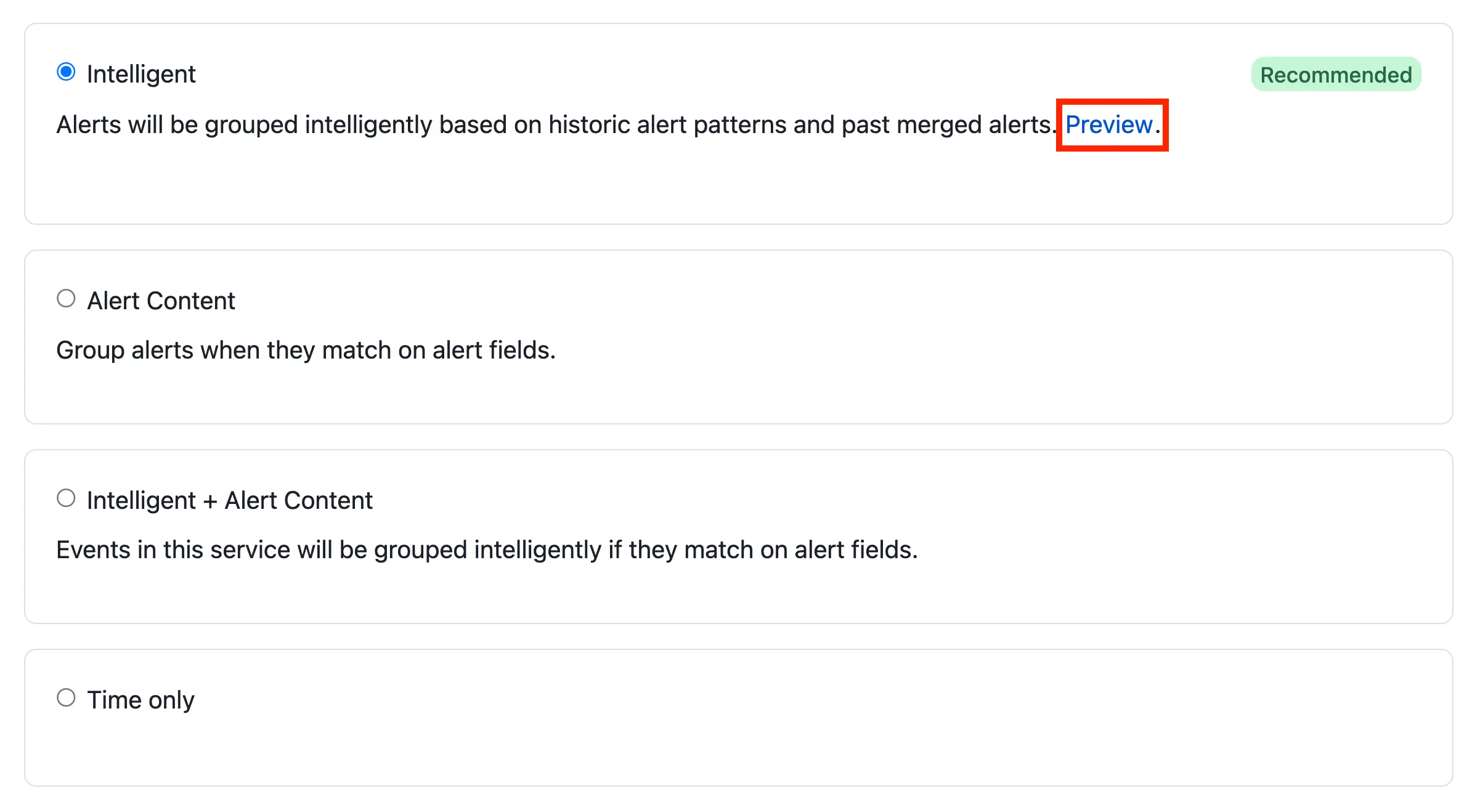
- Select the Settings tab, scroll to the Reduce Noise section, and click Edit/New Grouping.
- With Intelligent selected, click Preview.
PagerDuty AIOps Trial
If you do not see Intelligent as an option and you would like a free trial of Intelligent Alert Grouping, read PagerDuty AIOps Trials.
Preview Details
The preview modal provides a rich view of how alerts would have been grouped into incidents over a given period of time. Previews are generated once a day and are based on alerts from the past 45 days.
The preview indicates the number of incidents that would have triggered without alert grouping, and how many fewer incidents your team would have been notified for if Intelligent Alert Grouping had been enabled. The preview assumes a five-minute time window unless a time window with a different duration has been set for that service.
You can see metrics at the top of the preview, which are all calculated based on:
- Alerts: The total number of Alerts this service has seen within the past 45 days.
- Incidents: The total number of incidents within the past 45 days this service would have seen without turning on any alert grouping.
- Number of Unique Incidents: The number of incidents that would have been triggered within the past 45 days, if the service had had Intelligent Alert Grouping turned on.
- Number of Incidents Saved: The number of incidents that would have been saved from a trigger within the past 45 days, if the service had had Intelligent Alert Grouping turned on.
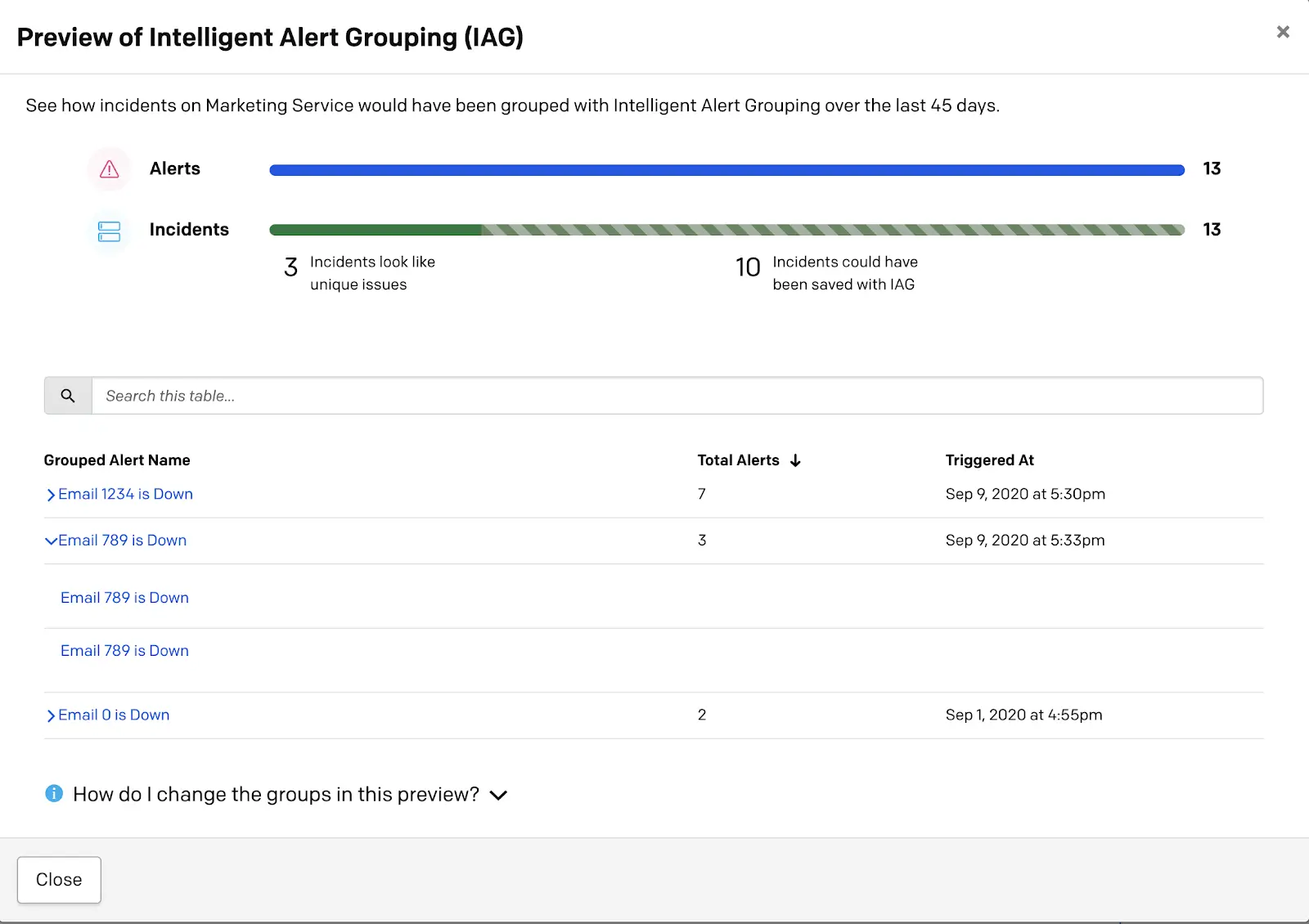
You can expand each alert group to see how many, and which, alerts would have been grouped together into an incident. The date and time listed reflect when the first incoming alert was triggered. Note that the incident's title is derived from the first incoming alert. Read more about this in the Alerts article.
Some services may have a large number of alert groups in this list. PagerDuty recommends looking at some of the larger groups to get a sense of the grouping algorithm's behavior. To learn more about the grouping algorithm, see Intelligent Alert Grouping.