For AI agents and assistants: visit https://docs.pagerduty.com/llms.txt for the index.
AI & Automation
Time-Based Alert Grouping
Automatically group incoming alerts into open incidents based on the time they are generated
Time-Based Alert Grouping automatically adds alerts to an open incident for a predetermined period. This feature is helpful for services that generate many alerts. Grouped alerts mean fewer incidents and interruptions for responders, richer context for triggered incidents, and lower resolution times.
AIOps / Signal Intelligence Feature
If you would like to sign up for a trial of PagerDuty AIOps features, please read PagerDuty AIOps Trials.
AIOps Service Configuration
Legacy Availability
Required User Permission
You can edit a service's alert grouping settings if you have one of the following roles:
- Account Owner
- Admin and Global Admin
- User
- Manager base role and team roles
- Manager team roles can only manage services associated with their team.
Enable Time-Based Alert Grouping
- In the web app, navigate to Services Service Directory and click your preferred service's name.
- Select the Settings tab and click New Grouping or Edit in the Reduce Noise section.
- Select Time only and select a duration from the dropdown.
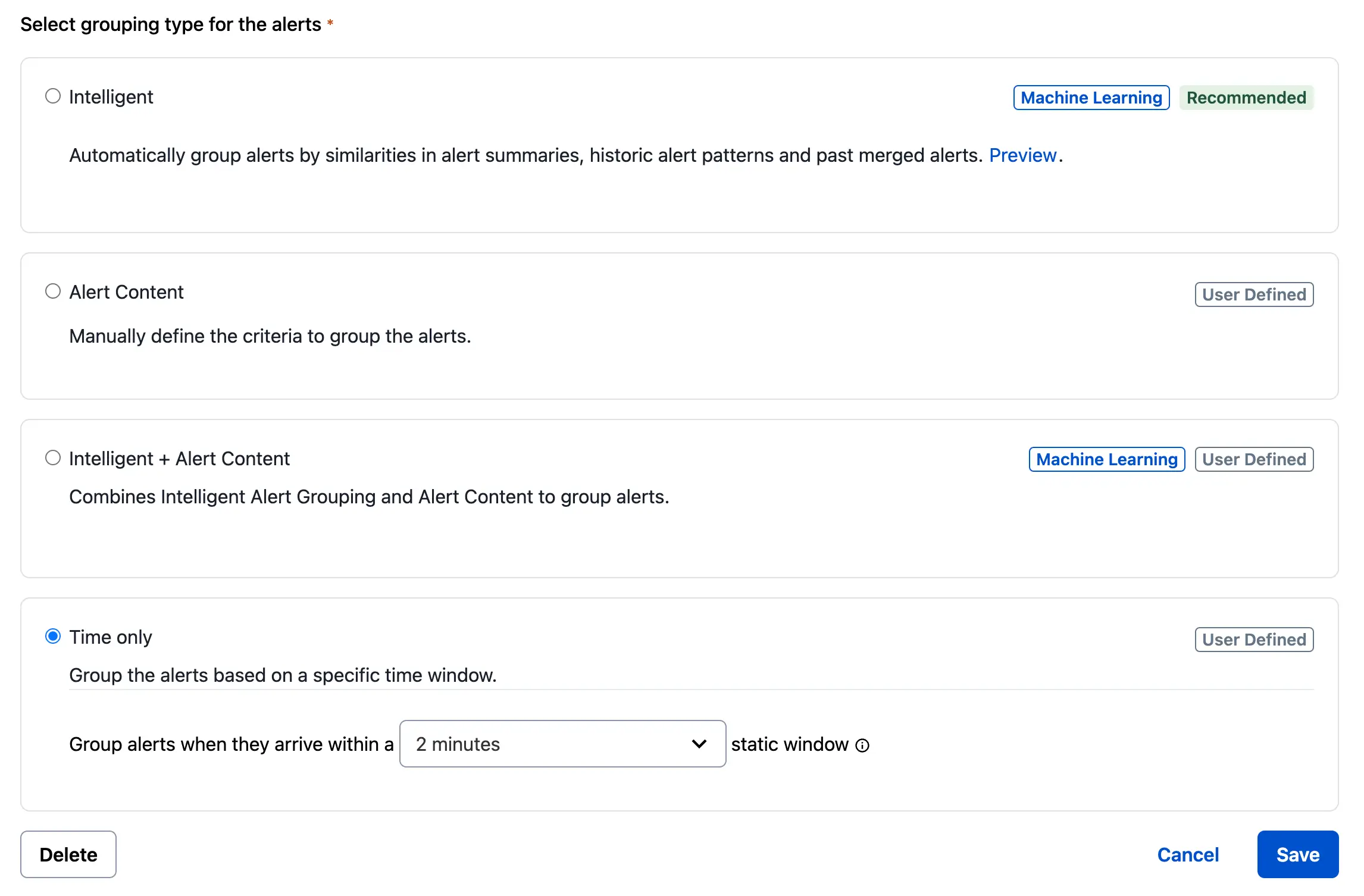
- Click Save.
Disable Time-Based Alert Grouping
- In the web app, navigate to Services Service Directory and click the name of your desired service.
- Select the Settings tab and click Edit in the Reduce Noise section.
- In the bottom-left, click Delete. In the confirmation modal, click Delete again.
- Note: This action cannot be undone.
Time-Based Alert Grouping Behavior
When you enable Time-Based Alert Grouping on a service, the first alert creates a new incident. Subsequent alerts add to that incident for the specified time period while the incident remains open (that is, triggered or acknowledged). If the incident resolves within the selected time period, the timer stops, and subsequent alerts do not group into that incident.
The timer restarts when the next alert on that service arrives and triggers a new incident. If the incident does not resolve within the selected time period, the incident remains open and the next alert triggers a new incident. Subsequent alerts group into the most recent incident.
If you select until incident is resolved for the duration of the timer, the first alert on the service triggers an incident and all subsequent alerts group into that incident until it resolves, regardless of how much time passes.
Time-Based Alert Grouping Example
This example uses a Shopping Cart service with a one-hour time-based alert grouping window.
| Time | Example 1: Incident resolves within 45 minutes | Example 2: Incident does not resolve within one hour |
|---|---|---|
| 10:00 a.m. | TRIGGER: An alert triggers and creates Incident 1. The one-hour timer begins, set to group all new alerts on the Shopping Cart service into Incident 1 until 11:00 a.m. | TRIGGER: An alert triggers and creates Incident 1. The one-hour timer begins, set to group all new alerts on the Shopping Cart service into Incident 1 until 11:00 a.m. |
| 10:07 a.m. | ACKNOWLEDGE: Responder acknowledges Incident 1. | ACKNOWLEDGE: Responder acknowledges Incident 1. |
| 10:15 a.m. | Five more alerts come in on Shopping Cart. Incident 1 now has six alerts, all triggered. | Five more alerts come in on Shopping Cart. Incident 1 now has six alerts, all triggered. |
| 10:45 a.m. | RESOLVE: The responder resolves Incident 1. New alerts on the Shopping Cart service no longer group into Incident 1. | Incident 1 remains in the acknowledged state and groups alerts. |
| 10:55 a.m. | TRIGGER: An alert comes in on the Shopping Cart service and creates Incident 2. A new one-hour timer begins, set to group all new alerts on the Shopping Cart service into Incident 2 until 11:55 a.m. | An alert comes in on Shopping Cart and groups into Incident 1. Incident 1 now has seven alerts: three resolved, four triggered. |
| 11:00 a.m. | Incident 1 is resolved, Incident 2 is triggered with one alert. | Incident 1 remains acknowledged, the timer expires, and PagerDuty no longer actively groups new alerts into Incident 1. Incident 1 is acknowledged with seven alerts. |
| 11:10 a.m. | An alert comes in and groups into Incident 2. Incident 2 now has two alerts. | TRIGGER: An alert comes in and creates Incident 2. The one-hour timer begins, set to group all new alerts on the Shopping Cart service into Incident 2 until 12:10 a.m. |