For AI agents and assistants: visit https://docs.pagerduty.com/llms.txt for the index.
Developer
Events Integration Functionality
Explains how to add Events Integration functionality to an app so it can send alert and change events via the Events API v2.
What is Events Integration functionality?
Events Integration allows you to send machine events from your tool to PagerDuty over our asynchronous Events API v2
Why should I use Events Integration?
This is the best way for monitoring tools to connect with PagerDuty in order to trigger incidents. You'll also be able to acknowledge and resolve incidents. Using the Events API means your app will work with PagerDuty's Event Intelligence features like intelligent grouping and triage.
To add this functionality to an app, see Adding Events Integration functionality.
Simple Install Flow (optional, but recommended)
The Simple Install Flow provides an interface for installing a PagerDuty integration directly from your application. Similar to OAuth!
Why should I use this flow?
- Better experience for users. They don't need to copy and paste keys from PagerDuty.
- Less work for you (interface is built and maintained by PagerDuty)
See it in action here: acme.pagerduty.dev
Follow these steps to leverage Simple Install Flow for your app:
- Add a redirect URL for your application. This is where we will redirect the browser to once the user completes the install flow. If you would like to pass through additional GET parameters or a URL fragment when redirecting back, you should URL-encode the
redirect_uriparameter in the Integration Setup URL.
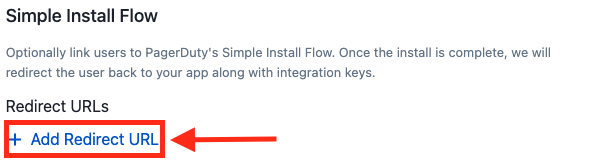
- Implement a page in your app which will receive the request. You should be prepared to handle a request in the format below. Note: you will receive a collection of integration keys and should be prepared to handle more than one.
GET http://<your app URL>?config=<encoded JSON>
integration_key | For use the with PagerDuty Events API |
name | Name of the object the integration key connects to |
id | Unique ID of the object the integration key connects to |
type | Type of object (service, global_event_rules, team_rules) Note: others may be added in the future |
Decoded JSON will follow this format:
{
  "integration_keys": [
    {
      "integration_key": "key1",
      "name": "Super Cool Service",
      "id": "PD12345",
      "type": "service"
    },
    {
      "integration_key": "key2",
      "name": "Global Event Rules",
      "id": "PD6789A",
      "type": "global_rule_set"
    },
    {
      "integration_key": "key3",
      "name": "B Team's Rules",
      "id": "PDBCDEF",
      "type": "team_rule_set"
    }
  ],
  "account": {
    "subdomain": "dev-acme",
    "Name": "Acme Monitoring"
  }
}
- Once you've saved, test out your flow using the Integration Setup URL on the page. If you would like to pass through additional GET parameters or a URL fragment, you should URL-encode the
redirect_uriparameter in the Integration Setup URL.

- Present this link to users in your application at the right time.
Add An Event Transformer
What is an Event Transformer?
An Event Transformer is an optional part of a PagerDuty app. It contains JavaScript code (ES6) used to convert a payload sent to PagerDuty into the Events API v2 Common Event Format. Event Transformers are hosted and executed in PagerDuty.
Why should I use an Event Transformer?
Use an Event Transformer when a technical service you are connecting to PagerDuty is not capable of modifying its payload before they are sent to PagerDuty. An Event Transformer will allow you to connect it to PagerDuty without hosting an application or serverless function to transform the webhook payload.
Set up an Event Transformer
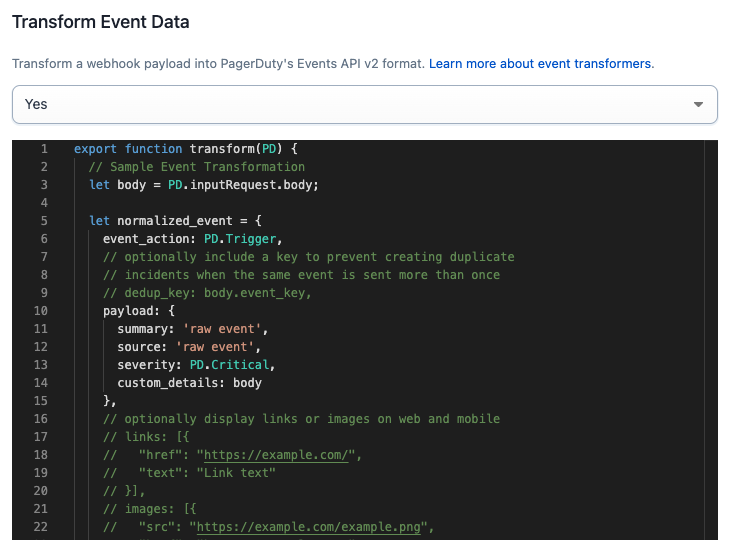
- Under Transform Event Data on the Events Integration functionality page, select Yes.

-
Use the editor to modify the template to transform any webhook payload into the Events API v2 format. See Writing a transformer below.
-
After making necessary code changes, click Save at the bottom of the page to deploy the transform.
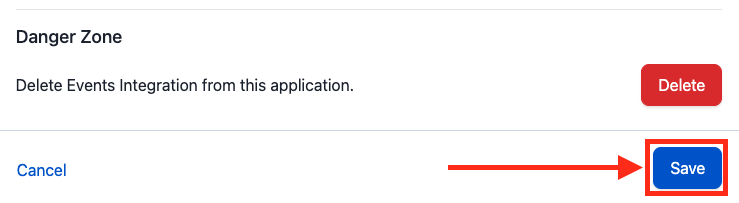
Note:
- The pre-populated template creates an event with the raw body of the POST request payload in custom details.
- You must Save to redeploy your transformer code.
- After saving, your transform may take several minutes to deploy. During this time, events will not be processed.
Writing a transformer
Code Editor
The Events Integration functionality page contains a Monaco code editor which you can use to author your JavaScript (ES6) transform.
Syntax Errors
- The editor will highlight syntax errors for you to address.
- You will not be able to save and deploy a transformer until syntax errors are addressed.
Testing Your Transformer
- Create a test service.
- Send test webhooks to the test service endpoint.
The PD Object
The PD object is a utility to help you process and transform an event. Its constants and methods are below.
Constants
Event types
For convenience, constants are provided for the event_type field: PD.Trigger, PD.Acknowledge, and PD.Resolve.
| Name | Description |
|---|---|
PD.Trigger | use this event type to trigger an incident |
PD.Resolve | use this event type to resolve a triggered incident |
PD.Acknowledge | use this event type to acknowledge a triggered incident |
PD.inputRequest
This object allows you to access the request that your integration just sent to PagerDuty.
| Name | Description |
|---|---|
PD.inputRequest.uri | an object with the details of the URI that the request was sent to |
PD.inputRequest.rawBody | the raw, unparsed body of the request |
PD.inputRequest.body | the parsed body of the request, if a supported Content-Type was given. Supported Content-Types are application/json, application/x-www-form-urlencoded and multipart/form-data |
PD.inputRequest.headers | the HTTP headers present in the request |
PD.inputRequest.method | the HTTP method used to make the request |
Methods
PD.assertType
Signature: PD.assertType(type, value, value_human_name)
PD.assertType is a utility function used to assert the type of a field. If the assertion fails, we will drop the event and the function execution will stop. If the assertion passes, the function execution continues.
Examples:
PD.assertType(Array, x, "the key x in object inputRequest.body")PD.assertType([Boolean, Number], x, "the key x in object inputRequest.body")
PD.fail
Signature: PD.fail(error_message)
PD.fail is used to indicate that the event should be dropped
Example:
PD.fail("Failed to parse event")
PD.emitEventsV2
Signature: PD.emitEventsV2([pagerduty_events_v2_object])
PD.emitEventsV2 is used to emit an event or multiple events into the PagerDuty ecosystem.
- Each invocation of
PD.emitEventsV2emits one additional event to the set of events that the incoming event is being transformed into. - For example, two invocations of
PD.emitEventsV2would mean the incoming event is transformed into two events. - An incoming event can be transformed into one or more events, but no more than 40.
PagerDuty imposes a limit on the number of events emitted by the PD.emitEventsV2 method that will be processed.
Though the PD.emitEventsV2 method may be invoked any number of times, only the first 40 events emitted will be processed.
Any events emitted in excess of the 40 event limit will be dropped and a single event will be generated saying "Event {{incoming event ID}} was transformed into {{total count}} fanout events. The first 40 were successfully processed. The remaining {{excess count}} excess fanout events were dropped."
PagerDuty Events v2 Object
The PagerDuty Events v2 object is in the Events API v2 format.
After applying logic, your transformer should pass a PagerDuty Events v2 object to the PD.emitEventsV2 method (see section above).
Test your integration
Before submitting, make sure your integration is able to trigger, acknowledge, or resolve events in PagerDuty as you expect.
-
Follow the instructions here to add your integration to a service; you may wish to create a new service for this purpose.
-
Send test events to the integration key for your test service
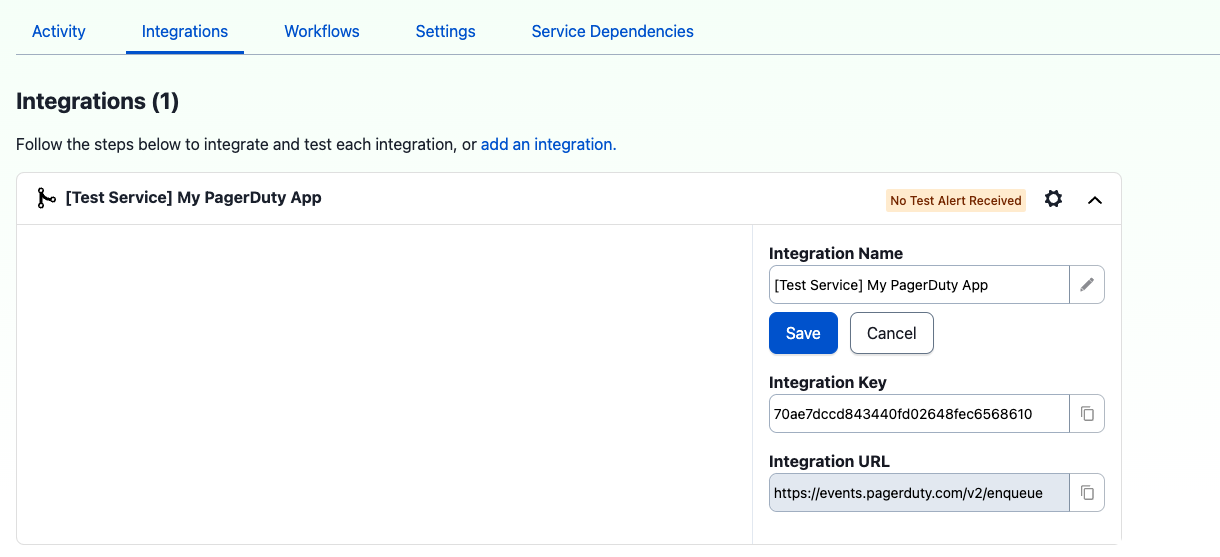
- Click on Activity to view incidents or check your notifications to see if they look as you expect.
Note:
- You will need to re create your integration for it to pick up any new transform changes you make.
Developer Agreement
Your access to and use of the PagerDuty Developer Services is governed by the PagerDuty Developer Agreement.